


AR Library: AR wayfinding concept
AR Library
The challenge was to connect a digital catalog with the physical experience of finding a book. Knowing that a title is available does not tell a reader which floor to visit, where to turn or which shelf to check. My 0-to-1 task was to define a coherent journey from discovery to borrowing, with guidance that works in the room without demanding constant attention to a screen.
Back to LabAR wayfinding concept
Wayfinding UX / AR / UI
AI + Figma

Visual Identity
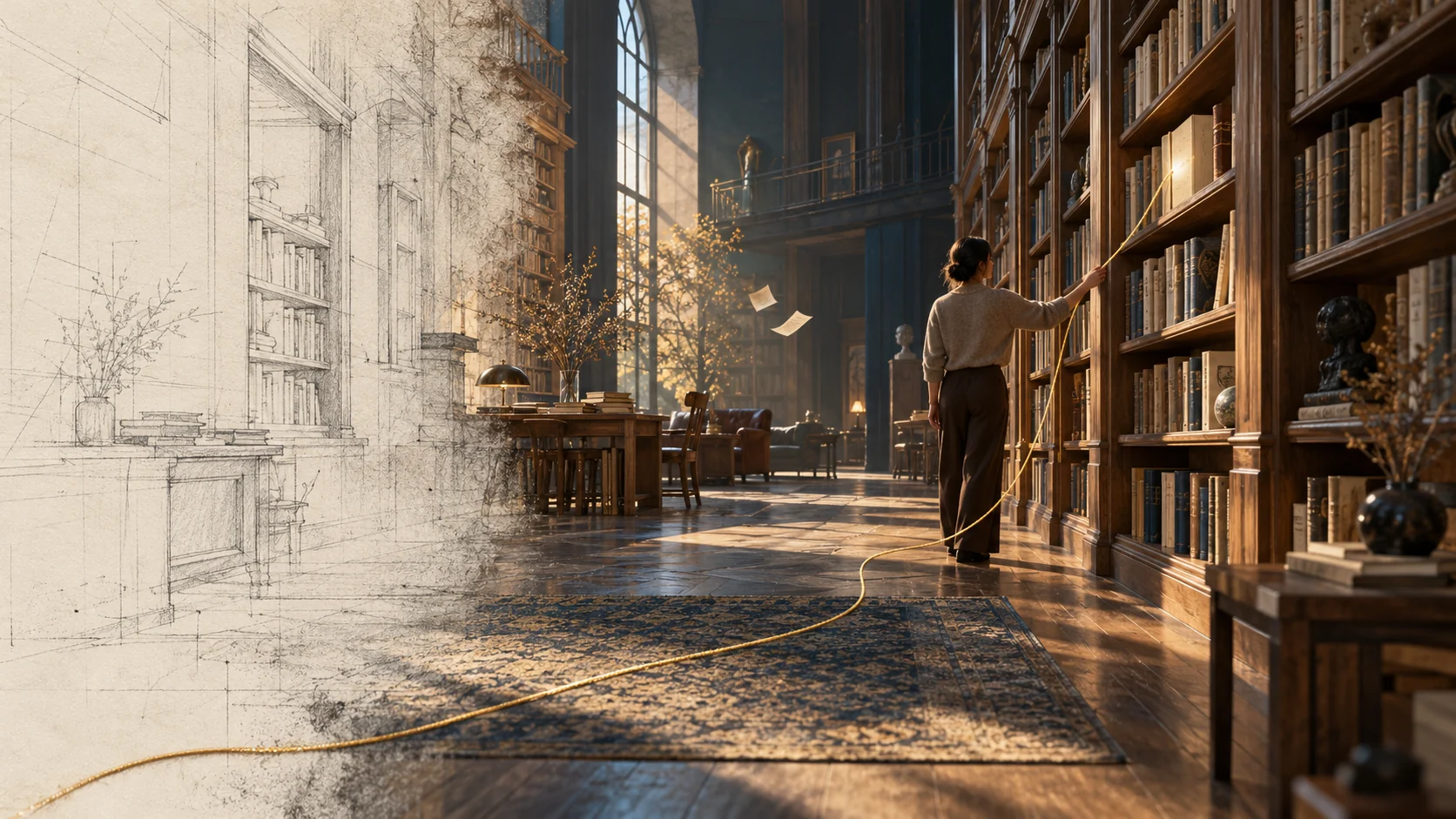
I wanted AR Library to feel at home among books before it introduced anything futuristic. Ink blue gives the interface its depth; warm paper keeps it approachable; a measured touch of gold marks the moments that deserve attention. The palette belongs to the library, but it also has a practical job when the interface sits over a busy camera view.
Literata carries the editorial character. Geist handles the directions, controls and small pieces of information that need to be understood quickly. I gave the two clear roles and enough space to do them well. The result has a little of the reading room and a little of the viewfinder. That tension is exactly where this product lives.
- INK, PAPER AND GOLD
- EDITORIAL CHARACTER, PRECISE GUIDANCE
- QUIET SURFACES OVER A BUSY WORLD
- COLOR RESERVED FOR THE NEXT STEP
Colors
#172E40 #E3BF62 #F4F0E6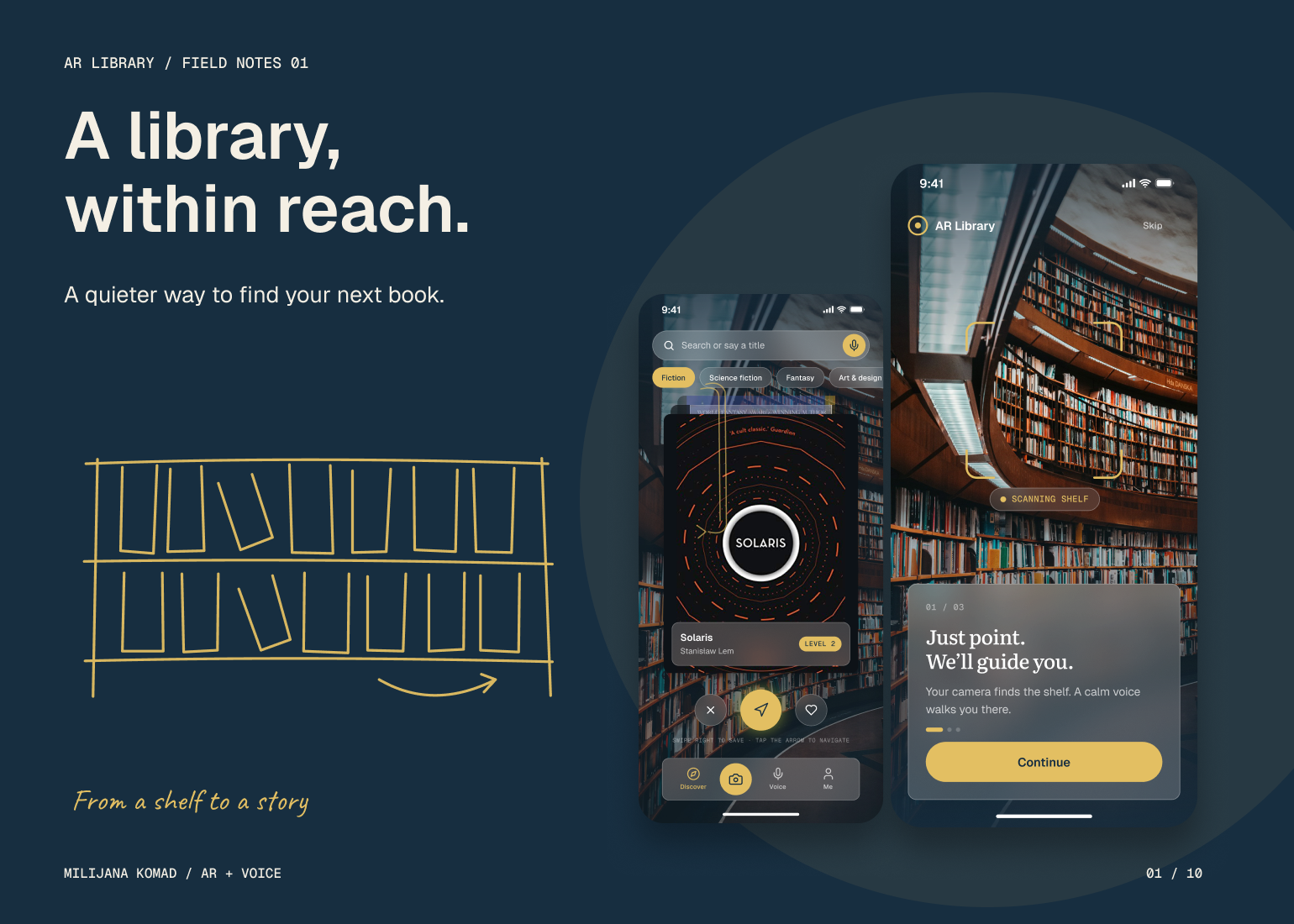
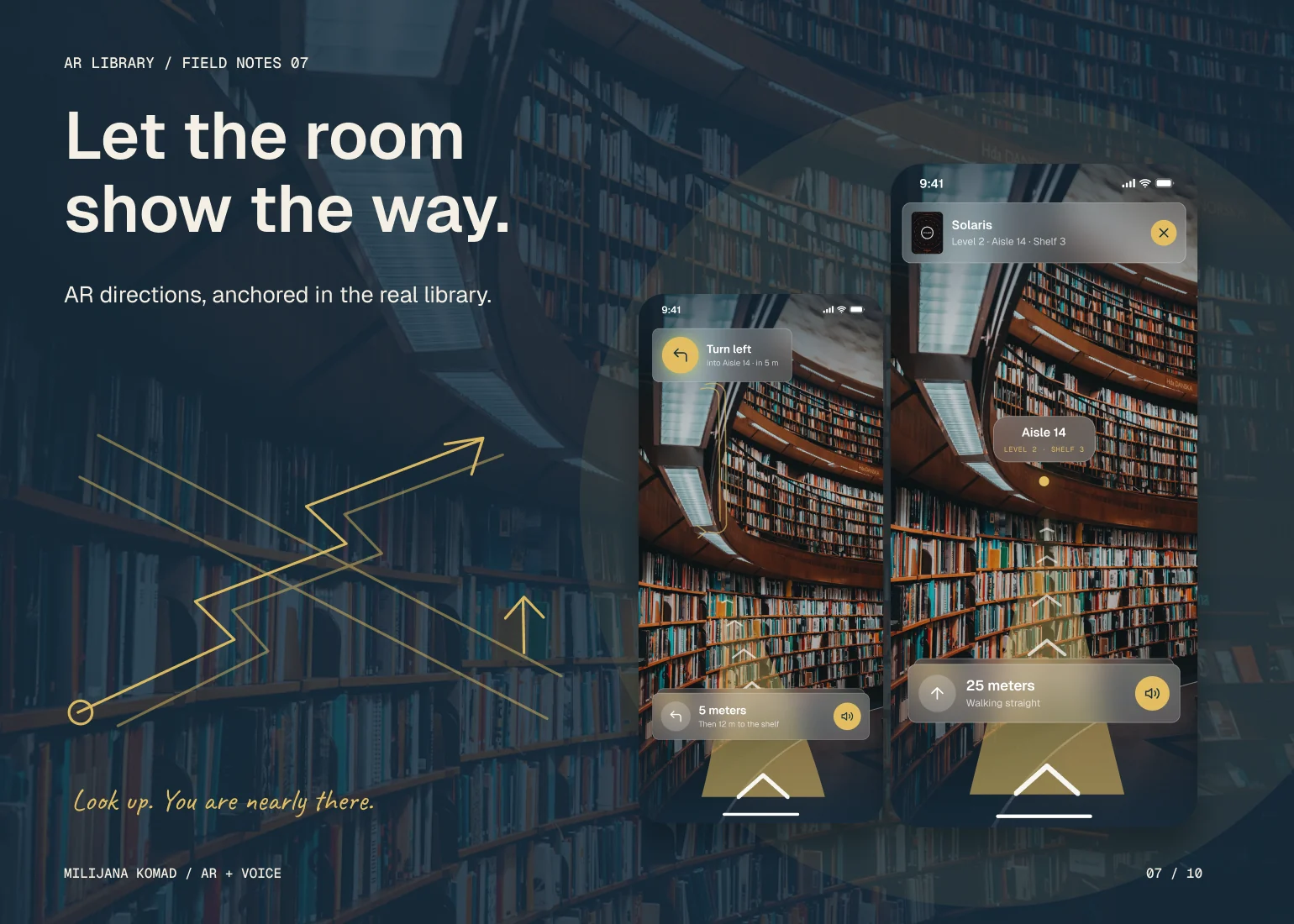
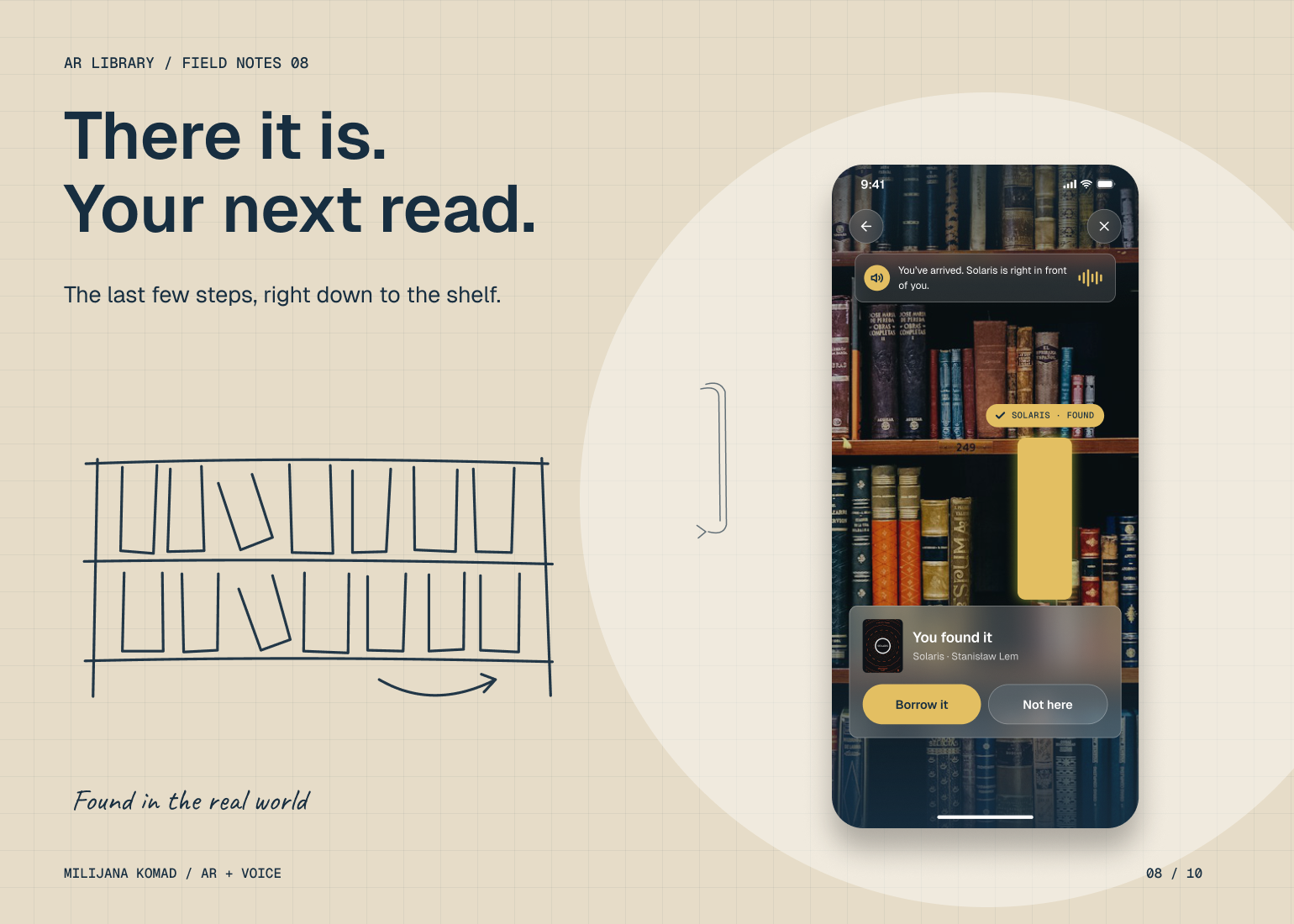
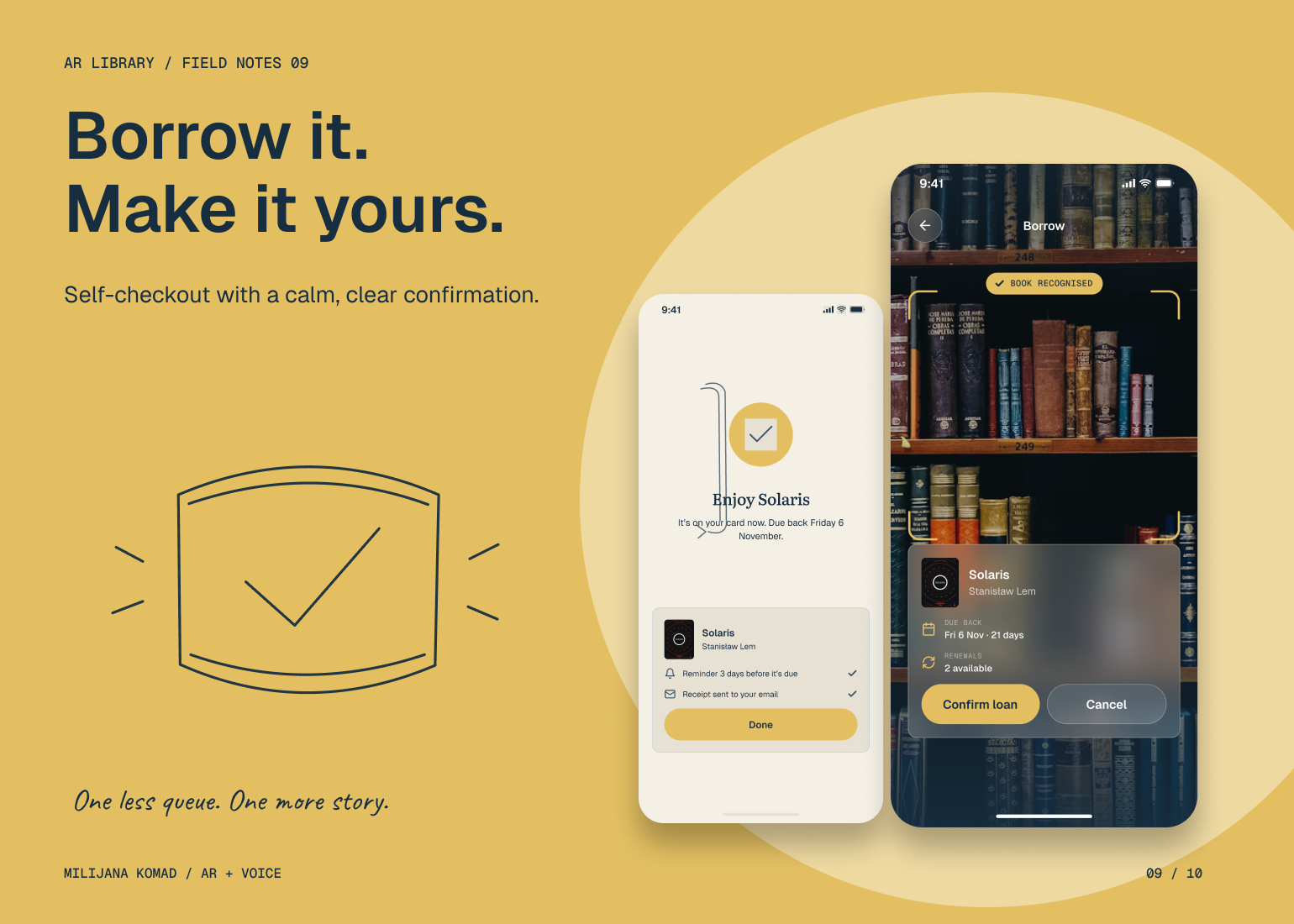
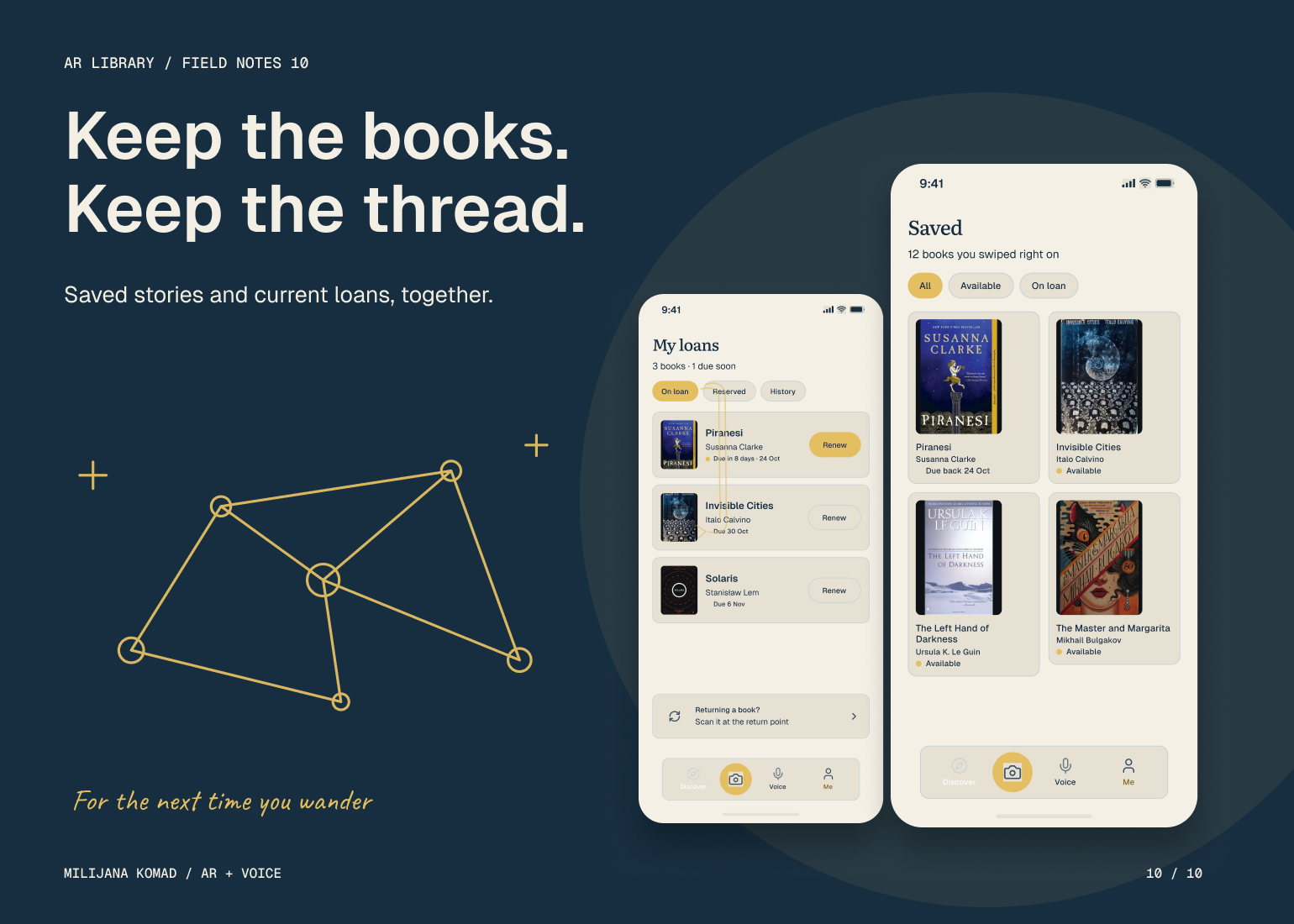
The Solution
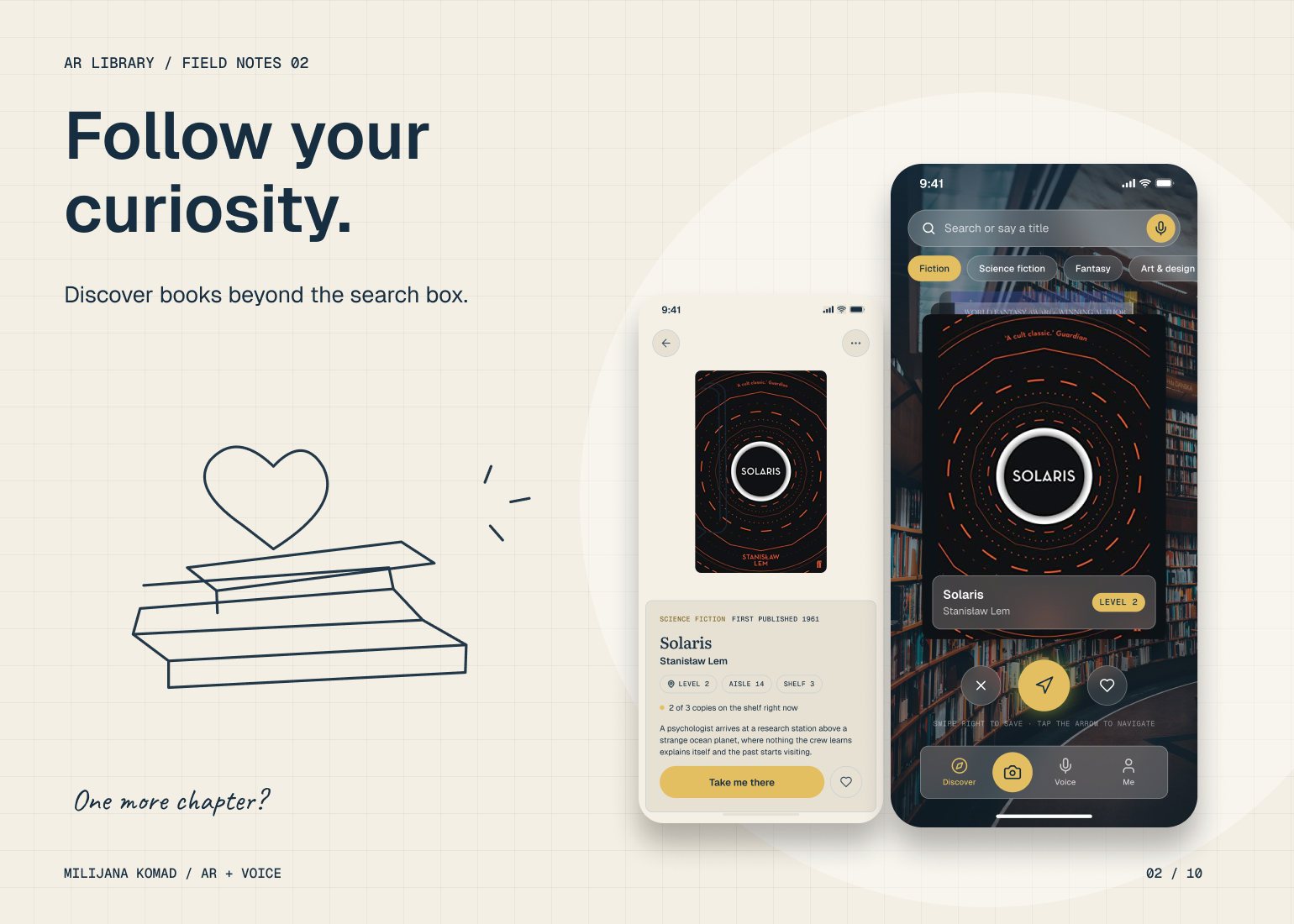
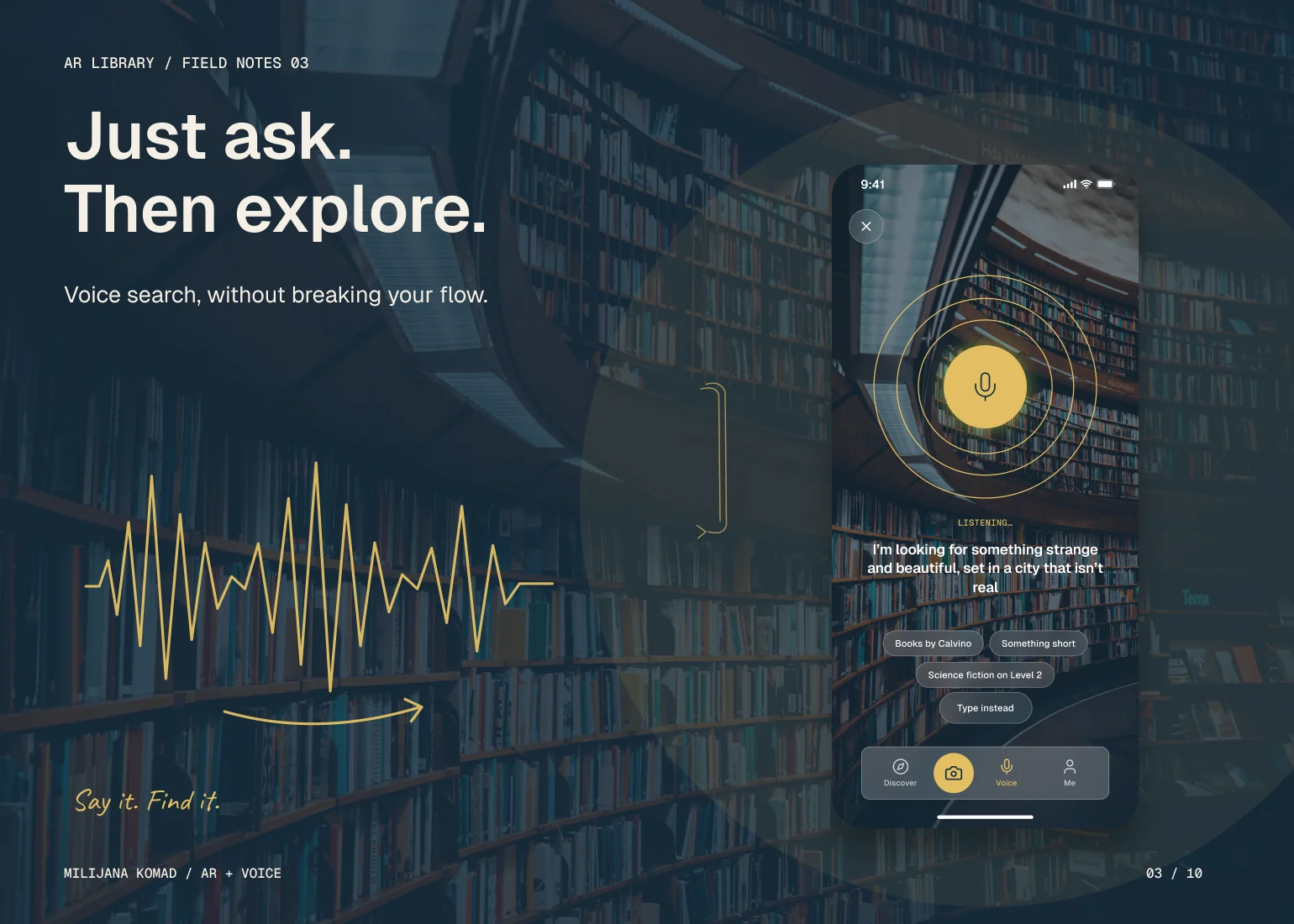
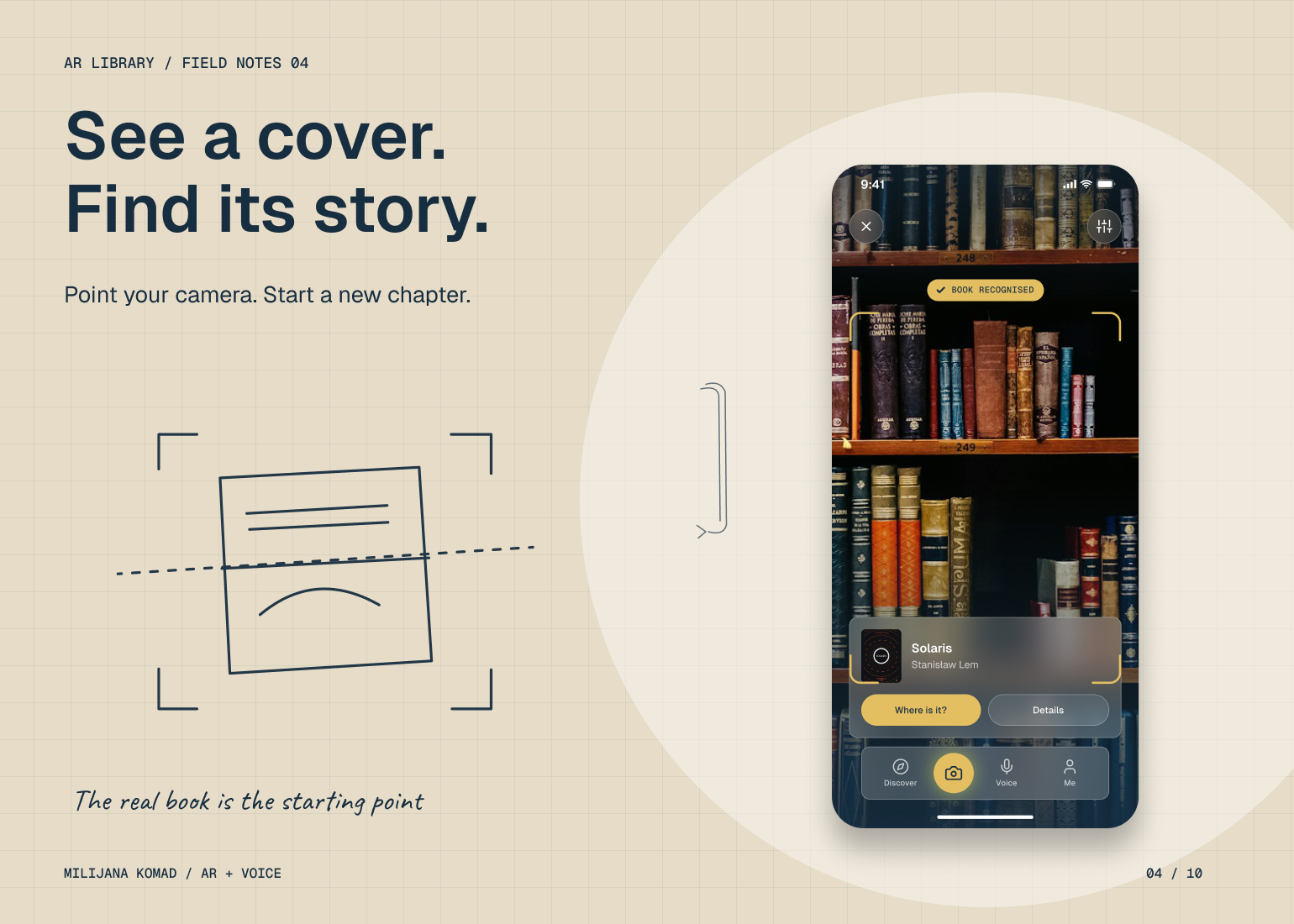
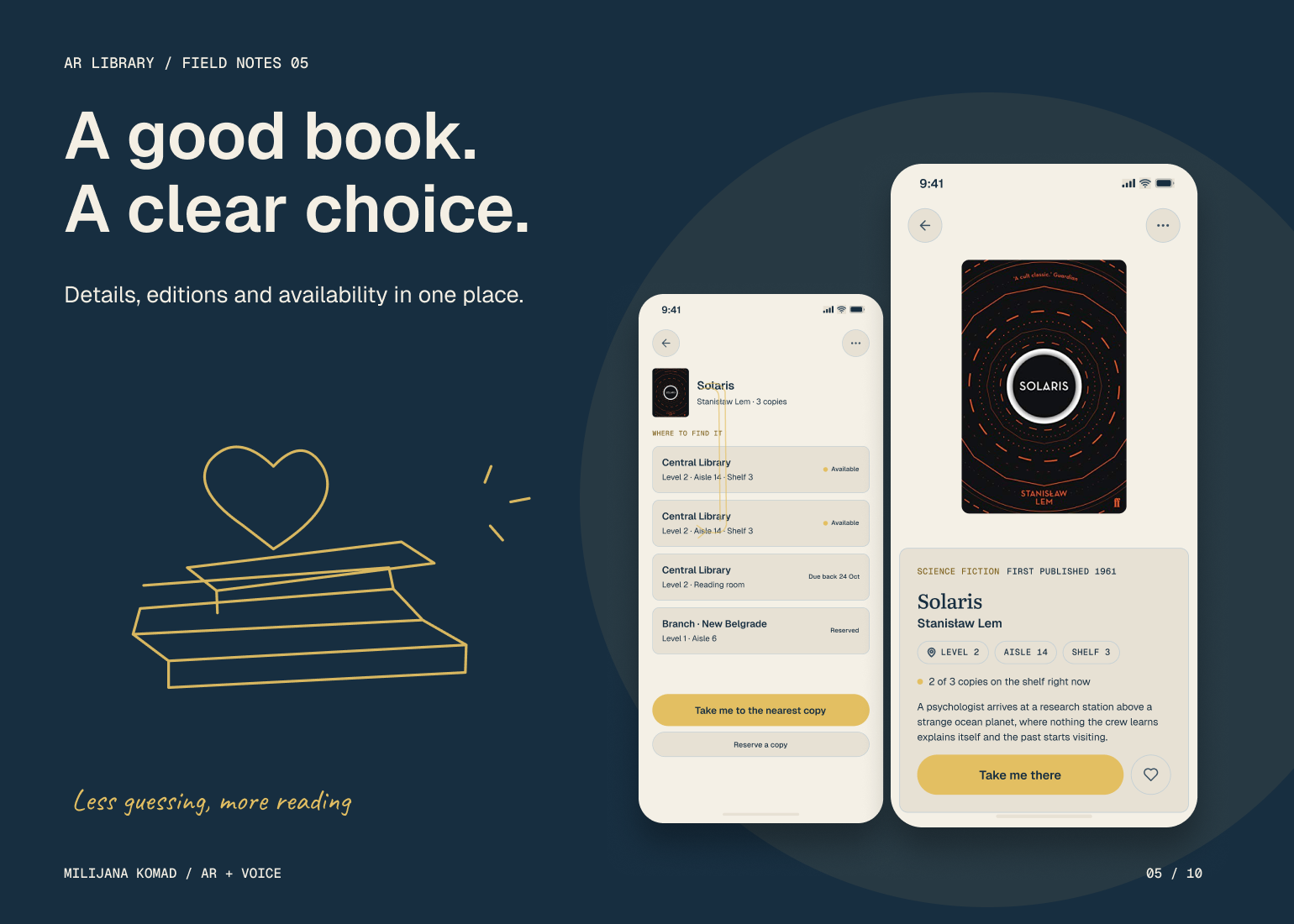
I organized the experience around the reader's next decision: identify a book, check availability, reach it and borrow it. Voice search and cover scanning provide different entry points into the same book record, so the navigation model does not depend on how someone starts. I placed location and availability close to the actions they inform, rather than making the reader assemble that context across separate screens.
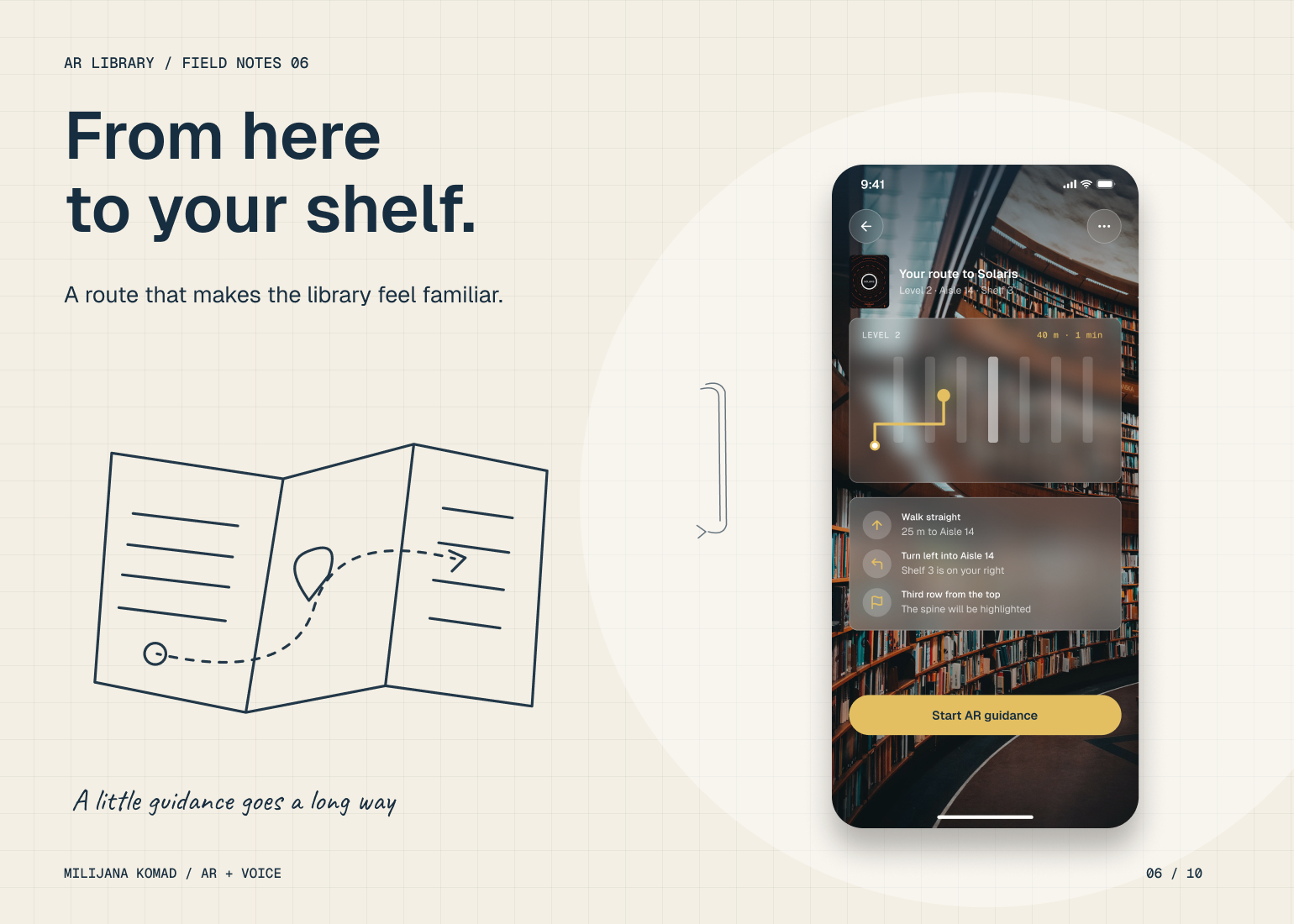
For the physical journey, I used progressive disclosure: route information establishes the destination, AR cues guide movement, and shelf-level feedback confirms arrival. Rerouting and missing-book states give the journey somewhere useful to go when the expected path breaks. Reservations, self-checkout and loan confirmation complete the flow. That continuity is the core of my solution: each interaction carries the reader's intention into the next step.